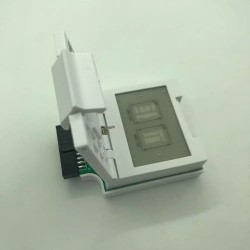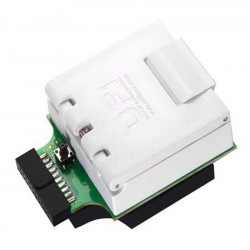





The QianLi ToolPlus iBridge Logic Board Diagnostics Tool for iPhone X is an engineering-grade circuit testing and breakout flex set designed for micro-soldering laboratories, chip-level logic board technicians, and high-volume mobile repair facilities. Engineered to resolve the physical limitations of probing microscopic board-to-board FPC connectors under a microscope, the iBridge acts as a low-resistance inline extension that redirects every individual connector pinout to an enlarged, clearly numbered gold-plated test point array.
With the iBridge connected between the iPhone X motherboard and peripheral assemblies (display, front camera, rear camera, and charging port tail plug), technicians can perform real-time voltage measurements, diode mode impedance tests, and signal line continuity checks while the phone is fully assembled and powered. This eliminates the risk of slipping multimeter probes, bent FPC pins, and accidental short-circuits to neighboring ground planes.
Key Engineering Features & Bench Advantages:
- Microscope-Free FPC Pin Probing: Breaks out high-density 0.35mm/0.4mm pitch FPC connector traces to large, isolated gold-plated testing pads labeled with pin numbering for fast multimeter probe contact.
- Live In-Circuit Diagnostics: Allows technicians to power on the logic board and measure live operating voltages, I2C/SPI clock and data lines, MIPI display signals, and reset rails while components are connected and functioning.
- Accurate Diode Mode & Resistance Mapping: Facilitates rapid cold-testing of reference resistance values to ground (diode mode), instantly isolating open circuits, partial leakage, or dead shorts on critical camera, display, and charging lines.
- Prevents Connector Damage & Accidental Shorts: Eliminates probe slip hazards that cause costly short-circuits to adjacent power rails (such as bridging 1.8V lines to 4.2V VDD_MAIN/VCC_MAIN).
- Complete 4-Piece iPhone X Testing Suite: Outfitted with dedicated diagnostic bridge flex cables for the four most frequently faulted peripherals: LCD/Touch, Rear Camera, Front Camera (TrueDepth/Face ID system), and Charging Port (Tail Plug).
- Low-Impedance Multi-Layer Flexible PCB: Constructed with high-grade rolled copper foil and wear-resistant polyimide (PI) substrate, ensuring zero signal degradation, negligible voltage drop, and high flex fatigue resistance over thousands of cycles.
Technical Specification Matrix
Parameter Profile | Product Specification Details |
Brand / Manufacturer | QianLi ToolPlus |
Product Model | iBridge PCBA Testing Cable Flex Set |
Supported Phone Model | Apple iPhone X (A1865, A1901, A1902) |
Included Cable Connectors | 1x Display / Touch FPC Bridge 1x Rear Camera FPC Bridge 1x Front Camera / TrueDepth FPC Bridge 1x Charging Port (Tail Plug) FPC Bridge |
Test Point Plating | Heavy Gold-Immersion (ENIG) for Oxidation Resistance & High Conductivity |
Substrate Construction | High-Flexibility Multi-Layer Polyimide (PI) Flexible Printed Circuit |
Measurement Compatibility | Digital Multimeters, Benchtop Oscilloscopes, Logic Analyzers |
Primary Bench Applications | Diode Mode Resistance Checks, Live Voltage Testing, Signal Timing Verification, Open/Short Line Isolation |
Recommended Bench Operation Guide:
- Board & Cable Preparation: Ensure the iPhone X motherboard is disconnected from battery power and DC bench supply before connecting test flexes.
- Inline iBridge Connection:
- Select the appropriate iBridge cable (e.g., Display & Touch).
- Connect the male end of the iBridge cable directly into the corresponding FPC socket on the iPhone X motherboard.
- Snap the peripheral cable (e.g., the iPhone X screen FPC) into the female header on the opposite side of the iBridge flex.
- Cold Resistance / Diode Mode Testing (Unpowered):
- Set your digital multimeter to Diode Mode.
- Place the RED probe on a reliable chassis ground point (SIM tray, shield ground, or ground pad on the iBridge).
- Touch the BLACK probe sequentially to the numbered test points on the iBridge pad array to record reference impedance values.
- Compare your readings against standard reference schematics (ZXW, JCID Drawing, or WUXINJI) to identify open (OL) or shorted (0.000V) lines.
- Live In-Circuit Voltage Testing (Powered):
- Connect the iPhone X to a regulated DC power supply or battery.
- Power on the handset.
- Set your multimeter to DC Voltage (V). Connect the black probe to ground and probe the designated power rails on the iBridge pads to confirm active operating voltages (e.g., PP_VDD_MAIN, PP1V8_S2, display bias voltages).
- Safe Disconnection: Power down the unit and disconnect all power sources before unclipping the iBridge ribbon cables to avoid transient spikes on sensitive data rails.