

- Stock: Out Of Stock
- Model: IWATCH-44MM
- Weight: 0.02kg
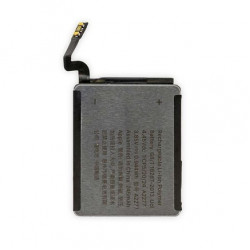
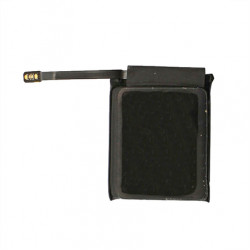
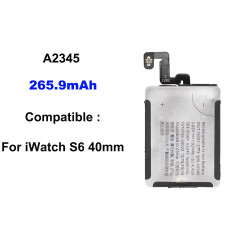
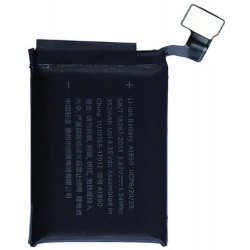
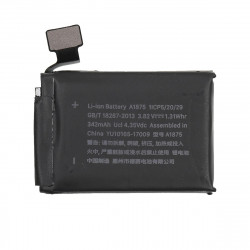
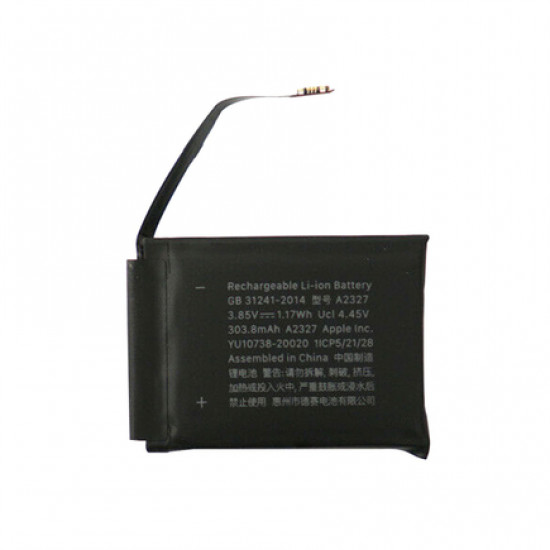
The Apple Watch Series 6 (44mm) Replacement Battery (Model: A2327) is an OEM-grade rechargeable lithium-ion polymer power cell engineered specifically for wearable repair technicians, smartwatch refurbishing facilities, and micro-soldering labs. Tailored to the exact physical dimensions, voltage curves, and telemetry requirements of the 44mm Apple Watch Series 6 housing (GPS and Cellular models), this replacement battery restores full factory run-time, eliminates random shutdown loops, and resolves display pop-off issues caused by aged or swollen cells.
Equipped with an integrated battery management system (BMS) protection circuit and a flexible board-to-board connector, this unit provides reliable thermal sensing, over-charge/discharge protection, and accurate power telemetry reporting to watchOS.
Key Engineering Features & Bench Advantages:
- Precision Chassis Fit: Custom-engineered to the exact millimeter tolerances of the 44mm Series 6 enclosure, ensuring flat seating without putting upward pressure on the OLED display panel or flex cables.
- Integrated Safety Protection IC: Onboard protection board guards against thermal runaway, short circuits, over-voltage, and over-current conditions during fast magnetic inductive charging.
- Factory Capacity & Voltage Matching: Delivers a rated capacity of 303.8mAh (1.17Wh) at nominal 3.85V, meeting Apple factory specifications for all-day wearable operation.
- Resolves Critical Battery Faults: Direct bench fix for common Apple Watch Series 6 power failures, including:
- Display separation/lifting caused by expanded or swollen lithium pouch cells.
- Apple logo boot-loops and power-off resets when disconnected from the magnetic puck.
- Rapid battery drain, unexpected percentage drops, and failure to charge to 100%.
- Pre-soldered Flexible FPC Connector: Features an OEM-spec gold-plated board-to-board connector for direct, zero-resistance connection to the watch motherboard socket without micro-soldering.
Technical Specification Matrix
Parameter Profile | Product Specification Details |
Compatible Device | Apple Watch Series 6 (44mm Casing) |
Compatible Model Numbers | A2292 (GPS), A2294 (Cellular, North America), A2376 (Cellular, Global) |
Battery Part / Model Number | A2327 |
Cell Chemistry | Rechargeable Lithium-Ion Polymer |
Rated Capacity | 303.8 mAh / 1.17 Wh |
Nominal Voltage | 3.85V DC |
Charge Voltage Limit | 4.4V DC |
Connector Type | Integrated Flexible FPC Board-to-Board Terminal |
Quality Grade | High-Capacity OEM-Equivalent Grade |
Primary Bench Use | Smartwatch Power Repair, Swollen Cell Replacement, Refurbishing |
Recommended Bench Installation Guide:
- Screen Softening & Opening: Place the watch on a heating mat set to 70°C–75°C for 2–3 minutes to soften the display perimeter adhesive. Use an ultra-thin opening blade or curved plastic pry pick along the seam, taking care not to insert the tool deeper than 1.5mm to avoid severing the display flex cables. (Note: Unlike Series 4, Series 6 does not feature a dedicated Force Touch sensor gasket).
- Disconnecting the Display: Prop the screen open at a 90-degree angle. Unscrew the small metal bracket shielding the display FPC connectors, disconnect the display cables using a nylon spudger, and set the screen assembly safely aside.
- Old Battery Extraction: Apply a drop of high-purity isopropyl alcohol (IPA) around the perimeter of the degraded battery to soften the under-cell adhesive tape. Gently pry the old battery upward using a flat, non-conductive plastic tool. Do not use sharp metal tools or puncture the lithium pouch.
- Connector Seating & Testing: Position the new A2327 battery into the chassis recess. Align and gently press down on the battery FPC connector until it snaps firmly into the motherboard socket. Temporarily reconnect the display assembly to verify that the watch boots and begins charging on a magnetic dock.
- Final Assembly & Re-sealing: Remove old adhesive residue from the inner chassis ledge using an adhesive remover pen. Lay down a pre-cut waterproof display sealing gasket, secure the screen bracket screws, press the screen into place, and clamp lightly for 15–20 minutes to ensure a firm seal.