
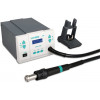
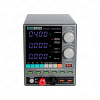
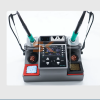






The iOne it-T210Pro Micro Soldering Station is a professional-grade, 75W precision smart heating platform engineered specifically for high-density component-level smartphone, tablet, and laptop motherboard rework. Designed to meet the demanding thermal recovery standards of modern micro-soldering labs, this station utilizes an advanced microprocessor-driven PID temperature controller to deliver lightning-fast heat transfer and absolute temperature stability under heavy ground-plane loads.
At the core of the it-T210Pro is its highly efficient integrated cartridge heating engine, which allows the soldering tip to hit standard working temperatures and melt tin in just 2 seconds. This instantaneous thermal recovery protects delicate multi-layered PCB tracks by minimizing target contact time, preventing trace lifting, component overheating, and accidental pad tearing during microscopic jumper work or BGA pad cleanup.
Key Engineering Features & Bench Advantages:
- 2-Second Flash Heating & Recovery: Powered by a high-efficiency transformer system, the iron delivers immediate heat compensation, melting solder almost instantly upon touch and ensuring continuous workflow without sluggish temperature drops.
- Intelligent Auto-Sleep & Standby: Built-in induction sensors detect when the handpiece is placed back onto the zinc alloy stand. The station instantly lowers the idling temperature, extending the operational life of fine micro-tips by up to 5 times and preventing premature oxidation.
- Smart Motion Wake-Up: The moment a technician lifts the high-temperature silicone handle from the cradle, the station automatically exits standby mode and flashes back up to full preset operational heat before the tip even touches the circuit board.
- Microprocessor PID Temperature Compensation: Offers an adjustable temperature window spanning 120°C to 450°C with smart automated offset calibration, guaranteeing that the tip temperature stays constant regardless of the thermal mass of the component array.
- Ergonomic Anti-Scald Handpiece: Designed for long hours under a microscope, the lightweight, ultra-short tip-to-grip distance handle provides extreme steering stability when working with 0.02mm thin trace jumper wires.
Technical Specification Matrix
Parameter Profile | Component Specification Details |
Brand / Manufacturer | iOne Precision Tools |
Model Series Line | it-T210Pro Desktop Smart System |
Peak Power Rating | 75W High-Output Fast Recovery Transformer |
Temperature Scope | 120°C – 450°C Constant Thermostat Range |
Control Interface | Visual LCD Segment Display with Digital Calibration |
Heating Elements | Fully Compatible with Industry-Standard C210 Cartridges |
Safety Integration | ESD Safe, Over-Current Protection, Anti-Static Grounding |
Primary Bench Utility | FaceID Dot Projector Fixes, iPhone CPU Jumpering, Micro SMD Rework |
Recommended Bench Operation Guide:
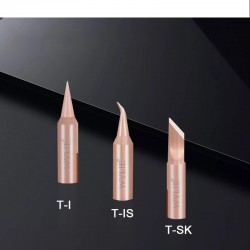
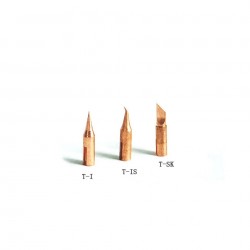
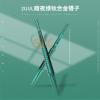
- Tip Selection & Setup: Match your cartridge profile to the job: use a fine curved needle tip for under-IC micro-jumpers or a sharp chisel profile for leveling open BGA pads. Ensure the tip is fully seated into the handle barrel before powering on.
- Thermal Calibration: Adjust the temperature selection using the tactile front buttons. For standard leaded solder arrays, set the base to 320°C to 340°C. For stubborn lead-free factory alloys, increase the parameter to 360°C to 380°C.
- Trace Execution: Apply a tiny bead of premium tacky flux directly over your target pad. Move the micro-tip swiftly into contact with the trace; the 2-second thermal loop ensures instantaneous flow without long holding pressures.
- Cradle Idle Care: Always return the handle squarely into the stand when pausing to inspect layouts or change parts. Confirm that the LCD interface indicates the downward sleep countdown to preserve your plating.
- Tip Maintenance: Before shutting down, clean the tip using brass wire sponge mesh, avoid abrasive damp sponges that cause thermal shock, and apply a thick protective layer of solder over the tip edge to prevent atmospheric oxidation while cold.