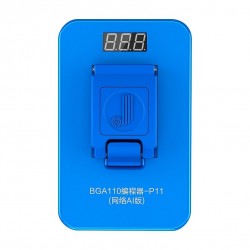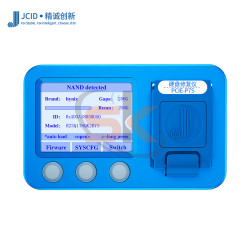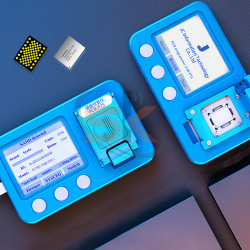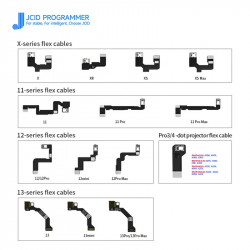




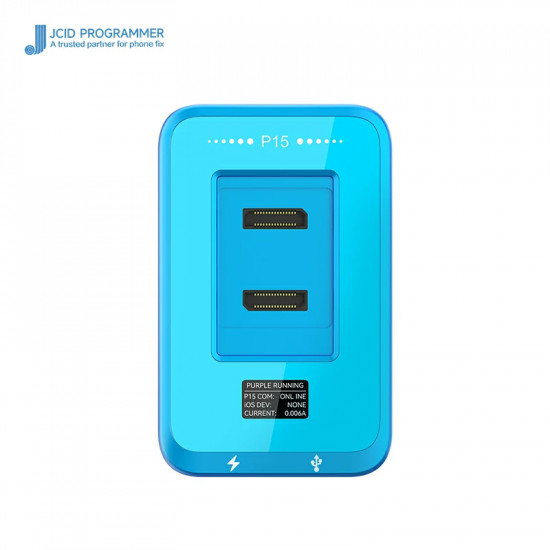


The JCID P15 NAND Programmer with BGA110 / BGA60 Modules is a specialized dual-module chip-level programming solution built for technicians who repair both legacy iOS hardware and modern NVMe architectures. By bundling the classic BGA60 socket with the mainstream BGA110 module, this combo covers NAND read, write, deep formatting, partition repair, and capacity expansion from iPhone 6 up to iPhone 13 Pro Max, as well as legacy and modern iPad generations.
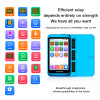
The unit features an integrated HD OLED real-time status display, providing instant readings of operating current, voltage rails, and system communications. Whether operating standalone on the bench or paired with the JCID Repair Assistant PC software, the P15 handles Wi-Fi module unbinding, partition table reconstructions, and deep NAND formatting to resolve common iTunes restore error codes.
Dual-Socket Device & Architecture Coverage
1. BGA60 Socket Module (Legacy 32-bit & 64-bit Architecture)
- Supported Devices: iPhone 6, iPhone 6 Plus; iPad Air 1, iPad mini 2, iPad mini 3, iPad 5 (2017), iPad 6 (2018).
- Processor Families: Apple A7 and A8 platforms.
- Primary Capabilities: Legacy 32/64-bit NAND flash read, write, backup, formatting, and capacity expansion (upgrading 16GB models to 64GB/128GB).
2. BGA110 Socket Module (PCIe NVMe Architecture)
- Supported Devices: iPhone 8, 8 Plus, X, XR, XS, XS Max, 11, 11 Pro, 11 Pro Max, SE 2, 12, 12 Mini, 12 Pro, 12 Pro Max, 13, 13 Mini, 13 Pro, 13 Pro Max; compatible iPad models.
- Processor Families: Apple A11, A12, A13, A14, and A15 Bionic.
- Primary Capabilities: High-speed NVMe SysCFG read/write, capacity upgrades (64GB to 128GB/256GB/512GB), one-click Wi-Fi unbinding without board rework, and deep block formatting to resolve iTunes recovery errors (Error 9, Error 4013, Error 4014).
Key Capabilities & Engineering Features
- High-Speed Bus Communication: High-throughput internal bus tracks significantly reduce reading and writing times, allowing swift batch backups and flashes.
- Storage Capacity Upgrades: Upgrade storage on older workhorses (iPhone 6/6P) and modern flagships (iPhone 11/12/13 series) by transferring factory calibration parameters onto clean replacement chips.
- One-Click Wi-Fi Unbind: Clear factory Wi-Fi module bindings directly within the SysCFG partitions, removing the need to desolder or reprogram the Wi-Fi IC.
- NAND Deep Format & Error Fixes: Execute low-level factory block formatting on corrupted or bad-block NAND ICs to recover memory chips throwing iTunes restore loops or boot faults.
- Live HD OLED Screen: Displays operational mode, active bus voltage, operating current in milliamps, and prompt indicators directly on the programmer faceplate.
- Non-Removal Purple Screen Diagnostics: Supports USB-connected purple screen mode for reading and revising SysCFG parameters on supported platforms without physically desoldering the chip.
- Modular Magnetic Snap-In Dock: Swiftly interchange between BGA60 and BGA110 sockets via dual-connector guide pins without ribbon cables or fragile clips.
Technical Specification Matrix
Parameter Profile | Specification Details |
Product Model | JCID P15 Integrated NAND Programmer Kit |
Included Sockets | BGA110 Module + BGA60 Module |
Complete Device Scope | iPhone 6 through iPhone 13 Pro Max; iPad Air 1, Mini 2/3, iPad 5/6 |
NAND Architectures | 32/64-bit Legacy Flash & PCIe NVMe BGA110 Flash |
Core Functions | SysCFG Read/Write/Backup, Capacity Upgrade, Wi-Fi Unbind, Deep Format |
Display Type | HD OLED Status & Current/Voltage Display |
PC Software | JCID Repair Assistant (Windows 10 / Windows 11 64-bit) |
Host Interface | USB Type-C High-Speed Data & Power Ports |
Optional Expansions | Supports modular BGA70 and BGA315 sockets (sold separately) |
Step-by-Step Programming & Capacity Upgrade Guide
- Setup & PC Interface: Connect the JCID P15 to your workshop PC via the supplied USB Type-C cable and launch JCID Repair Assistant.
- Mount the Target Socket: Align either the BGA60 (iPhone 6/6P) or BGA110 (iPhone 8–13PM) module onto the P15 guide pins until seated firmly.
- Read Original SysCFG: Place the desoldered original NAND chip into the socket, clamp the top cover shut, and click Read / Backup SysCFG to save factory serials, Wi-Fi/BT MAC addresses, and model region data.
- Prepare Replacement NAND: Remove the original chip and insert the replacement higher-capacity NAND into the socket.
- Format & Write: Click Format to clear prior block maps, select the target device model, and click Write SysCFG to flash the backed-up profile onto the new flash memory.
- Solder & Clean Restore: Solder the programmed NAND chip back onto the logic board and restore the device via standard iTunes or 3uTools flashing.
Package Contents:
- 1 × JCID P15 Programmer Host Unit
- 1 × JCID BGA110 NAND Socket Module
- 1 × JCID BGA60 NAND Socket Module
- 1 × High-Speed USB Type-C Cable
Explain:
- BGA60 module: for iPhone 4/SE-6 Plus Nand flash
- BGA70 module: for iPhone 6S-7 Plus Nand flash
- BGA110 module: for iPhone 8-13 Pro Max Nand flash
- BGA315 module: for iPhone 14-15 series Nand flash