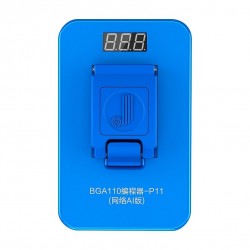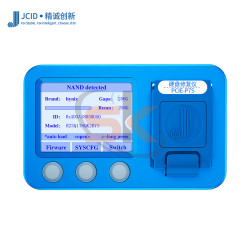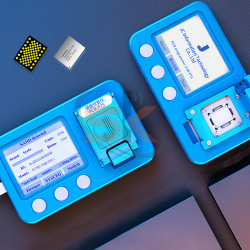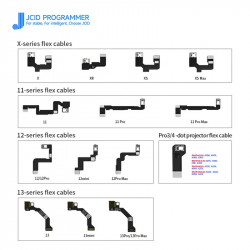

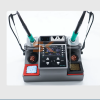
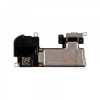


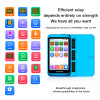
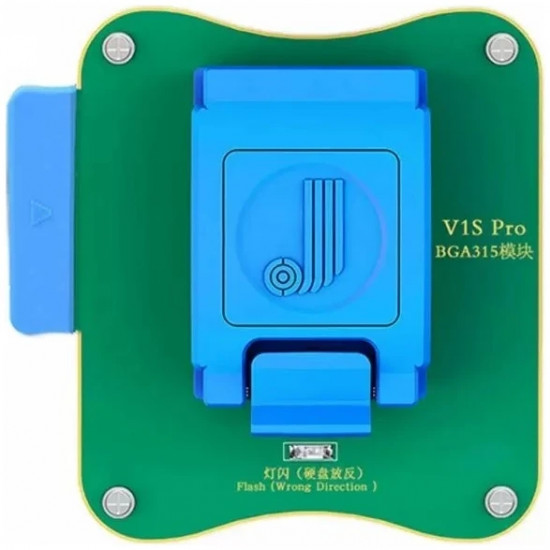

The JCID V1S Pro BGA315 NAND Programmer Module is an engineering-grade diagnostic and read/write socket module built specifically for micro-soldering technicians, mobile motherboard repair laboratories, and high-end device refurbishment centers. Operating as a direct plug-and-play expansion for the flagship JCID V1S Pro programmer, this specialized module provides deep read, write, backup, format, and SYSCFG modification capabilities for modern Apple devices utilizing the BGA315 flash memory architecture.
Engineered to resolve complex logic board faults—such as NAND corruption, iTunes restore error codes (Error 9, Error 4013, Error 4014), boot loops, and Wi-Fi unbinding requirements—this module also serves as the primary hardware tool for high-margin storage upgrades (e.g., expanding 128GB handsets to 256GB, 512GB, or 1TB). Equipped with precision spring-loaded pogo pin arrays and a zero-insertion-force clam-shell socket, it ensures reliable communication without damaging delicate solder pads or requiring ball pre-tinning.
Key Engineering Features & Bench Advantages:
- SYSCFG Data Read / Write / Repair: Read, write, backup, and restore factory System Configuration (SYSCFG) data—including serial number, model region, Bluetooth/Wi-Fi addresses, and battery telemetry calibration tables.
- One-Click Wi-Fi Unbind: Instantly unbinds encrypted Wi-Fi data from the NAND SYSCFG area, allowing technicians to replace faulty Wi-Fi 6/6E IC modules directly without unsoldering or replacing CPU/EEPROM chipsets.
- High-Margin Storage Capacity Upgrades: Fully supports formatting and partitioning brand-new or donor BGA315 NAND flash chips to upgrade iPhone 14-series and M-series iPads to higher storage tiers.
- Zero-Damage Clam-Shell Test Socket: Features industrial-grade gold-plated pogo pins within an alignment-molded socket bed, delivering high-speed data transmission while preventing mechanical wear or pad delamination on raw NAND chips.
- Dual Operation Flexibility: Supports standalone operation when docked directly onto the JCID V1S Pro host unit or deep-level graphical partition management when tethered to the JCID Repair Assistant PC software suite.
- Comprehensive Error Code Rectification: Formats corrupted partition tables to clear storage-induced iTunes restore errors, including Error 9, Error 14, Error 2009, Error 4013, and Error 4014.
Technical Specification Matrix
Parameter Profile | Product Specification Details |
Brand / Tool Platform | JCID / Designed Exclusively for JCID V1S Pro Host |
Supported Socket Architecture | BGA315 Flash Memory (Ball Grid Array 315-Pin) |
Compatible iPhone Models | iPhone 14, iPhone 14 Plus, iPhone 14 Pro, iPhone 14 Pro Max, iPhone SE (3rd Gen, 2022) |
Compatible iPad Models | iPad 10 (10.9-inch 2022), iPad Air 5 (M1), iPad Pro 6 (11-inch & 12.9-inch M2) |
Functional Capabilities | Read, Write, Format, SYSCFG Modification, Wi-Fi Unbind, Storage Partitioning |
Interface / Mounting | Direct Gold-Plated Ribbon Header Interface (V1S Pro Expansion Bay) |
Software Ecosystem | On-Device UI (V1S Pro Screen) & JCID Repair Assistant PC Platform |
Primary Bench Utility | Memory Capacity Upgrades, iTunes Error Repair, Board-Level Data Recovery |
Recommended Bench Operation Guide:
- Module Docking: Power down or sleep the JCID V1S Pro host. Slide the BGA315 module into the programmer's secondary expansion bay until the gold-plated header connects securely.
- NAND Extraction & Cleaning: Desolder the target BGA315 NAND from the smartphone or iPad logic board using a hot air rework station at 350°C–360°C. Clean underfill and residual solder from the chip pads using an iron chisel tip with desoldering braid and PCB cleaner until pads are completely flat.
- Socket Insertion: Open the clam-shell socket latch. Align Pin 1 on the NAND chip with the alignment dot engraved on the module tray, seat the chip gently into the recessed bed, and clamp the spring latch shut.
- Data Read & Backup: Select the "BGA315 NAND" application on the V1S Pro touchscreen (or launch JCID Repair Assistant on your PC). Click Read to extract the device's SYSCFG file and save a local backup copy.
- Modification / Upgrade:
- For Wi-Fi repair: Select Unbind Wi-Fi to clear the encryption lock from the data string.
- For storage expansion: Insert the larger capacity blank NAND, click Format, write back the saved SYSCFG configuration, and finalize partitioning.
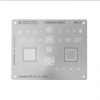
- Board Installation: Reball the programmed NAND using a 0.12mm BGA315 stencil and 183°C solder paste. Solder the chip back onto the logic board at 340°C–350°C, allow the board to cool, and restore firmware via 3uTools or iTunes.