

-31 %
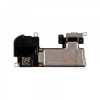
JCID Proximity Light Sensor Flex For IPhone XR (Face ID / True Tone Recover)

Rs.899.00
Rs.1,299.00
Ex Tax:
Rs.899.00
JCID Proximity Light Sensor Flex For IPhone XR (Face ID / True Tone Recover)
Solve FaceID and TrueTone problems caused by a damaged original flex
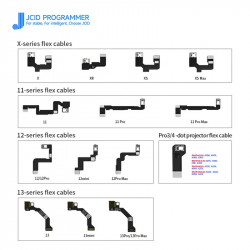
- True Tone & Face ID Restoration: Replacing a damaged original front sensor flex cable normally locks out these critical user features. This programmable JCID flex allows you to write original device data directly onto the new chip, making it fully operational again.
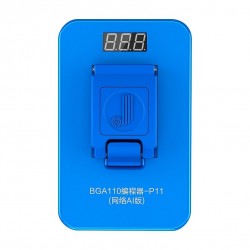
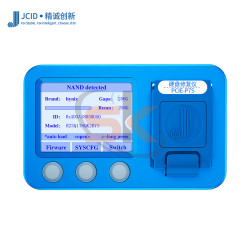
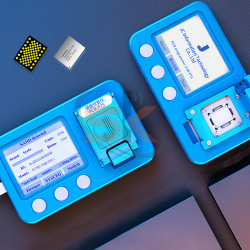
- Seamless JCID Ecosystem Integration: Fully compatible with your existing JCID V1S, V1SE, or V1S Pro hardware modules. Reading data from the old broken flex and writing it to this new ribbon takes only a few clicks.
- Flawless Component Fitment: Built with high-grade, flexible circuit printing matching factory specifications. It features pre-aligned footprints for the ambient light sensor (ALS), proximity module, and flood illuminator microphone array.
- Reduces Costly Screen RMA Rates: Ensures that when you finish an premium iPhone XR screen replacement, the customer leaves with a fully functioning True Tone display profile and a secured biometric Face ID sensor lock.
Technical Specification Matrix
Component Profile | Details |
Brand Developer | JCID Repair Technologies |
Compatible Phone Model | Apple iPhone XR |
Primary Recover Capabilities | Face ID Activation & True Tone Matrix Restore |
Hardware Compatibility | JCID V1S / V1SE / V1S Pro Programming Stations |
Integrated Sensor Mounts | Ambient Light Sensor (ALS), Infrared Proximity, Flood Illuminator |
Build Quality | High-Flexibility Wear-Resistant Ribbon Circuitry |
Essential Repair Workflows:
- Broken Original Flex Extraction: Desolder or remove the original damaged front proximity sensor assembly carefully from the old broken display glass.
- Data Reading & Back-up: Connect the original flex data line to your JCID programming rig to extract the unique serial code data layer.
- Writing to JCID Ribbon: Plug in this new JCID iPhone XR Proximity Flex and write the backup dataset onto its onboard programmable controller chip.
- Final Bench Assembly: Solder the original sensors to the designated pads on the new flex, install it onto your new screen assembly, and power up the phone to enjoy fully restored biometric and display settings.