

-24 %
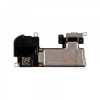
JCID Proximity Light Sensor Flex For IPhone XS Max (Face ID / True Tone Recover)

Rs.899.00
Rs.1,190.00
Ex Tax:
Rs.899.00
JCID Proximity Light Sensor Flex For IPhone XS Max (Face ID / True Tone Recover)
Solve Face ID and True Tone problems caused by a damaged original flex
- True Tone & Face ID Recovery: Bypasses Apple's component-serialization locks by allowing original ambient light sensor (ALS) data encryption to be written directly onto the replacement chip.
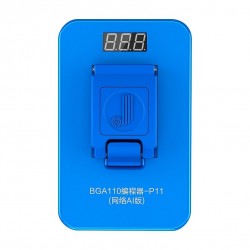
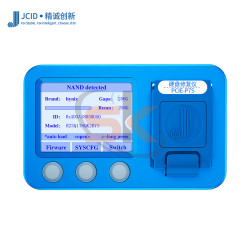
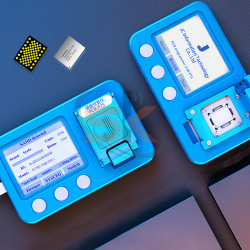
- JCID Ecosystem Compatibility: Integrates seamlessly with the JCID V1S, V1SE, and V1S Pro programming platforms for quick, one-click data reading and writing cycles.
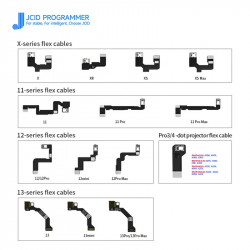
- Premium Flexible Circuitry: Built to exact OEM dimensions with high-flexibility copper traces that resist creasing, tearing, or breaking during final display installation.
- Pre-Aligned Solder Pads: Features precise layout landing zones for cleanly transferring the original flood illuminator, proximity sensor, and microphone capsule from the old damaged ribbon.
Technical Specification Matrix
Component Profile | Details |
Brand Developer | JCID Repair Technologies |
Compatible Phone Model | Apple iPhone XS Max |
Primary Recover Capabilities | Face ID Activation & True Tone Matrix Restore |
Hardware Compatibility | JCID V1S / V1SE / V1S Pro Programming Stations |
Integrated Sensor Landing Pads | Ambient Light Sensor (ALS), Proximity Module, Flood Illuminator |
Build Quality | Tear-Resistant High-Density Flexible Printed Circuit (FPC) |
Essential Repair Workflow:
- Data Extraction: Connect the original damaged iPhone XS Max sensor assembly to your JCID programming station to read and save the unique serial data layer.
- Data Writing: Disconnect the old flex, plug in this new JCID iPhone XS Max Flex Cable, and write the saved data layer onto it.
- Sensor Transfer: Carefully desolder the original flood illuminator and proximity sensor components from the damaged ribbon and solder them onto the new JCID flex landing pads.
- Final Assembly: Install the restored flex onto your replacement screen assembly to enjoy fully functional True Tone and biometric Face ID security.